


Impresso - Video & Logo Maker
4.5202.00 Reviews
App Specs
- Version
- 5.3.1
- Updated On
- License
- Free
- Downloads
- 100,000+
- Developer
- Pixery Bilgi Teknolojileri
- Categories
- Video Players & Editors
- Platform
- Android
Screenshots
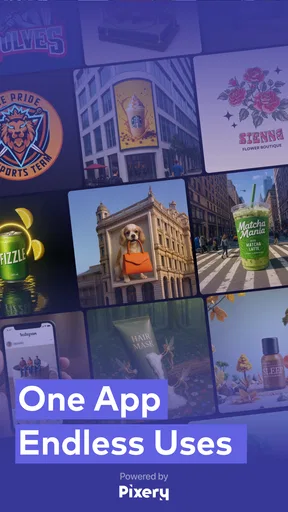


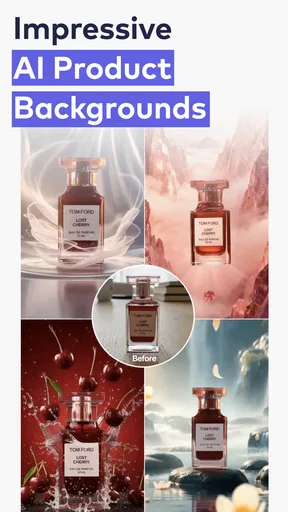
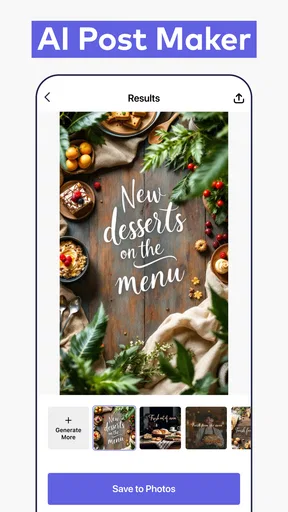
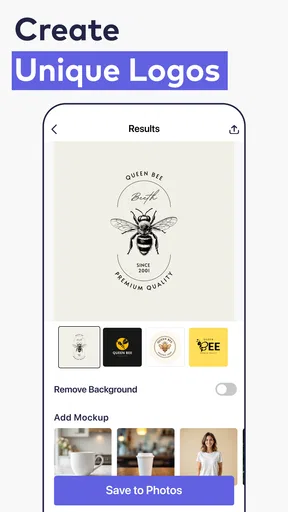
 Analysis by AppCompare
When I need a quick visual for a small project, I want to get from a rough idea to something I can actually share without opening a desktop editor. That’s the promise I look for in a mobile creative tool, and Impresso - Video & Logo Maker is aimed at people who want to put together branded graphics and short-form visual content from a phone. My overall impression is that it is most useful as a convenient starting point, rather than a replacement for a full design or video-editing suite.
From first idea to a shareable design
I’ll focus on the practical path from a rough brief to a design you can share, including the small checks that help a quick draft work in its intended setting. Starting with the audience and destination in mind can make the creative choices easier, so the next section looks at how to give an idea a useful direction before building it.
Starting with a brief, not a blank page
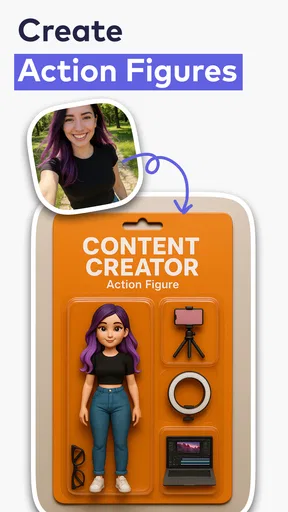
For a new user, the practical question is whether the app helps turn a vague idea into a clear first draft. Impresso is an AI-based graphic and brand design tool from Pixery Bilgi Teknolojileri, with product and logo design at its center. That makes it worth considering when you need a visual direction quickly, especially if you are not used to drawing or laying out a design from scratch. I would approach it with a simple brief: what the graphic is for, who needs to recognize it, and what feeling it should convey.
That small bit of planning matters. A logo for a local service, a product image for a social post, and a thumbnail meant to catch attention are different jobs, even if they share colors or a brand name. I would decide on the intended use before generating or assembling anything, then judge the result against that use rather than simply asking whether it looks attractive. A design that reads well as a small profile image may not be the right choice for a product promotion.
Getting Started with Impresso
First off, let's talk about the interface. It's clean, intuitive, and honestly, a pleasure to navigate. As someone who’s not exactly a tech wizard, I appreciated how everything was laid out in a straightforward manner. Once you open the app, you’re greeted with options to start a new project or explore templates. The templates are a lifesaver if you're like me and sometimes need a little creative nudge. They range from sleek and professional to fun and quirky, catering to whatever vibe you’re going for.
Making a first draft that works
The AI angle is most helpful when it gets you past the intimidating first step, not when it makes every creative decision for you. I’d treat an automatically generated direction as a draft to inspect: is the main subject obvious, can you read the words at a glance, and does the overall look suit the audience? If one of those answers is no, it is better to simplify than to keep adding decoration. A logo, in particular, has to remain recognizable when it is viewed small, so a design with too many details can be less useful than a plainer one.
One practical workflow is to make a rough version for the actual placement first. If the design is intended for a product post, imagine it in the space where people will see it and give the product or message enough visual room. If it is meant to represent a brand, keep the name and any distinctive mark easy to pick out. This is a useful check before spending time refining colors or effects: strong styling cannot rescue a layout whose purpose is unclear.
Worth Reading Before You Choose

Switching to Android Auto Means Rethinking Your Driving Routine

Google Calendar Makes a Crowded Week Easier to Manage

Baby Panda World Brings Quick Play to Modern Phones, but Its Game Library Feels Busy

ESPN’s Live Game View Makes Following Close Games Easier

QuizzLand Review: A Good Fit for Short Trivia Breaks, Not Every Player

Basketball Stars: Multiplayer Is Fast, but Can It Recover When Matches Go Wrong?
Features that Stand Out
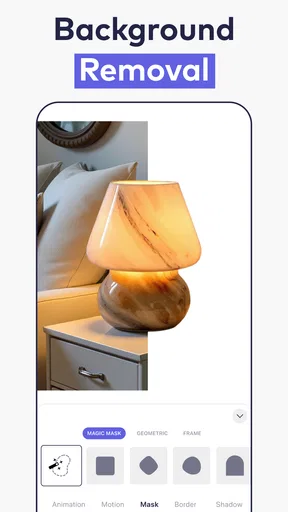
Impresso offers a rich variety of features that make video and logo creation a breeze. One of the standout features is the drag-and-drop functionality. It’s incredibly user-friendly, allowing you to add elements like text, images, and animations with ease. The app also provides a robust selection of fonts and colors, so you can truly personalize your creations.
I was particularly impressed by the animation options. You can bring your logos and videos to life with smooth transitions and effects. It’s almost like having a mini animation studio in your pocket. The app also supports high-resolution exports, which is crucial for maintaining quality across different platforms.
Iteration without losing the point
Creative work often gets worse when every available effect is used just because it is there. I’d make one version that is deliberately restrained, then compare it with a more expressive alternative. Keep the parts that improve recognition or make the message clearer; remove anything that competes with the main idea. This is especially useful for logos, where a quick glance matters more than a complicated reveal.
For a video or animated graphic, I’d review the opening and ending as carefully as the middle. The first moment should tell a viewer what they are looking at, while the final frame should feel like a natural stopping point rather than an effect that simply runs out. If I were making a product announcement between other tasks, I would draft the message and choose the key visual first, then add movement only where it helps direct attention. That keeps a fast mobile workflow from turning into a long session of tweaking details that do not improve the result.
Performance and Usability
Now, let's talk about performance. I tested Impresso on both Android and iOS, and it runs smoothly on both platforms. There were no noticeable lags or crashes, which is a huge plus. The app is regularly updated, ensuring that any bugs are swiftly addressed and new features are added to keep things fresh.
Usability-wise, it's a thumbs up from me. Even if you're a beginner, the app guides you through the process without overwhelming you with too many options at once. Plus, the tutorials available within the app are quite handy if you ever find yourself stuck.
Choosing the right tool for the job
Compared with a traditional video editor, a brand-oriented design app is a better fit when the immediate goal is a logo or a polished graphic, not detailed footage editing. A dedicated video editor is the stronger choice when you need precise control over a long sequence, audio, or a complex timeline. On the other hand, starting from a blank canvas in general-purpose design software can offer more control, but it asks you to make more layout decisions yourself. I’d pick Impresso when speed and a guided creative starting point matter more than having every fine-grained control at hand.
That trade-off also helps set expectations about what “ready to publish” means. A visual can look finished on a phone and still need a careful check for legibility, brand consistency, and suitability for its destination. I would review it at the size people are likely to see, not only zoomed in while editing. For an important campaign or a logo that will represent a business for years, I would use the app to explore directions and then get a more deliberate review before treating the design as final.
A realistic everyday use
Picture a small seller who has a new item to announce and only a short break between other responsibilities. They can begin with the product’s purpose and the one detail a customer should notice, then create a simple branded graphic or a short animated treatment. Before sharing it, they should check that the product remains the focus, the wording is readable on a phone, and the visual still looks coherent without sound. That is the kind of small, practical job where a mobile-first tool can save time; it is not the same as building a complete identity system or producing a heavily edited commercial.
For repeat work, I would also keep a simple record of the decisions that make a design feel consistent: the spelling and capitalization of the brand name, the colors used, and the general tone. Even when starting from a new template or generated idea, those checks can prevent each post from looking like it belongs to a different business. The useful habit is to treat the app as a production aid while keeping the brand decisions in your own hands.
Export and handoff: check before sharing
Once a design is ready, the last step is not simply pressing an export button and assuming every destination will display it equally well. I’d inspect the final result at the size and in the context where it will appear. Small text, thin details, and subtle color differences can become hard to see on a phone screen. If an asset is going to be reused in several places, I would keep a clean, uncomplicated version alongside any animated or heavily styled treatment so the core identity remains usable.
Impresso is free to download, with in-app purchases ranging from $7.99 to $49.99 per item. I would explore the free experience first and decide whether a paid option solves a real need in my workflow before spending money. That is a sensible approach for anyone who only makes occasional graphics; frequent creators may value extra capabilities, but the right choice depends on what is actually available in the app and what they intend to produce. It is also a good reason to avoid building a project around a paid feature until you have checked the cost and confirmed it is useful to you.
Who will get the most from it
I can see this app suiting a small business owner who needs an occasional branded visual, a creator who wants to test a logo direction, or a beginner who finds an empty canvas hard to approach. It is less compelling for someone whose work depends on precise control over every frame, detailed typography, or a tightly managed brand system across many formats. In those cases, a more specialized design or editing tool is likely to be a better home for the final production.
Its audience rating is Everyone, and it is listed in the video players and editors category, although its product and logo design focus makes its practical use broader than simply watching or trimming video. It has an average rating of 1.5 from around 940 ratings, so I would not treat popularity as a reason to assume the experience will suit me. I’d try a small, low-stakes project first, assess whether the workflow feels dependable for my needs, and only then decide whether to use it for regular work.
Why You Should Give It a Try
So, why should you download Impresso - Video & Logo Maker? Well, it’s perfect for anyone looking to create professional-looking content without investing in expensive software. The app's affordability is another highlight. While there are in-app purchases, the free version offers plenty to get you started. And if you decide to go premium, the added features are definitely worth the price.
Another reason to give it a shot is the convenience factor. Being able to whip up a stunning logo or video on your phone, wherever you are, is incredibly empowering. Whether you're at a café or lounging at home, creativity is always at your fingertips.
With over 50,000 installs and a current version of 1.8.0, Impresso has reached people looking for a phone-based route into visual creation. It was released on December 27, 2024, and supports Android 7.0 and later. Those details make it straightforward to judge basic compatibility, but they do not replace trying the actual workflow: I would start with a modest design, check that the result can be used where I need it, and avoid relying on it for a deadline-critical project until I am comfortable with the process.
In conclusion, Impresso - Video & Logo Maker is a must-have app for anyone interested in bringing their creative ideas to life. With its user-friendly interface, powerful features, and seamless performance, it stands out as a top choice in the world of mobile content creation. So go ahead, give it a whirl, and let your creativity run wild!
Pros
- User-friendly interface for quick edits.
- Wide variety of templates available.
- High-quality export options.
- Customizable text and graphics.
- Regular updates with new features.
Cons
- Some features require a subscription.
- Occasional lag on older devices.
- Limited stock media without premium.
- No collaboration feature for teams.
- Requires internet for full functionality.
FAQs for Impresso - Video & Logo Maker
What platforms is Impresso - Video & Logo Maker available on?
Impresso - Video & Logo Maker is available on both Android and iOS platforms. Users can download the app from the Google Play Store for Android devices and the Apple App Store for iOS devices. Ensure your device meets the app's compatibility requirements for optimal performance.
Does Impresso offer any free features, or is it solely a paid app?
Impresso provides a range of free features that allow users to create basic videos and logos. However, for advanced functionalities and a wider selection of templates, users may need to subscribe to premium options. It's recommended to explore the free version first to see if it meets your needs.
Is Impresso suitable for professional video and logo creation?
Impresso caters to both beginners and professionals. While it offers an intuitive interface ideal for quick edits and creations, it also includes sophisticated tools and templates that professionals can leverage for high-quality video and logo production. It's versatile enough to handle various project complexities.
Can I customize templates in Impresso to fit my brand's identity?
Yes, Impresso allows extensive customization of templates. Users can alter colors, fonts, and layouts to match their brand’s identity. This flexibility ensures that every video and logo created can be tailored to reflect unique branding requirements, delivering a personalized touch.
Does Impresso support sharing creations directly to social media platforms?
Impresso supports direct sharing to popular social media platforms like Instagram, Facebook, and Twitter. After creating your video or logo, you can instantly share it with your audience, making it convenient for users looking to enhance their social media presence efficiently.


